
Office to field, and back again
How a day actually runs.
See how the day flows from planning the schedule in the office to completing the last job on site — even when phone reception drops out.
Two views. Built for two different jobs.
Scheduling a field team involves two very different roles. The person in the office building the calendar needs different tools to the person on site completing the work. So Windoflo gives them different apps.
THE OFFICE
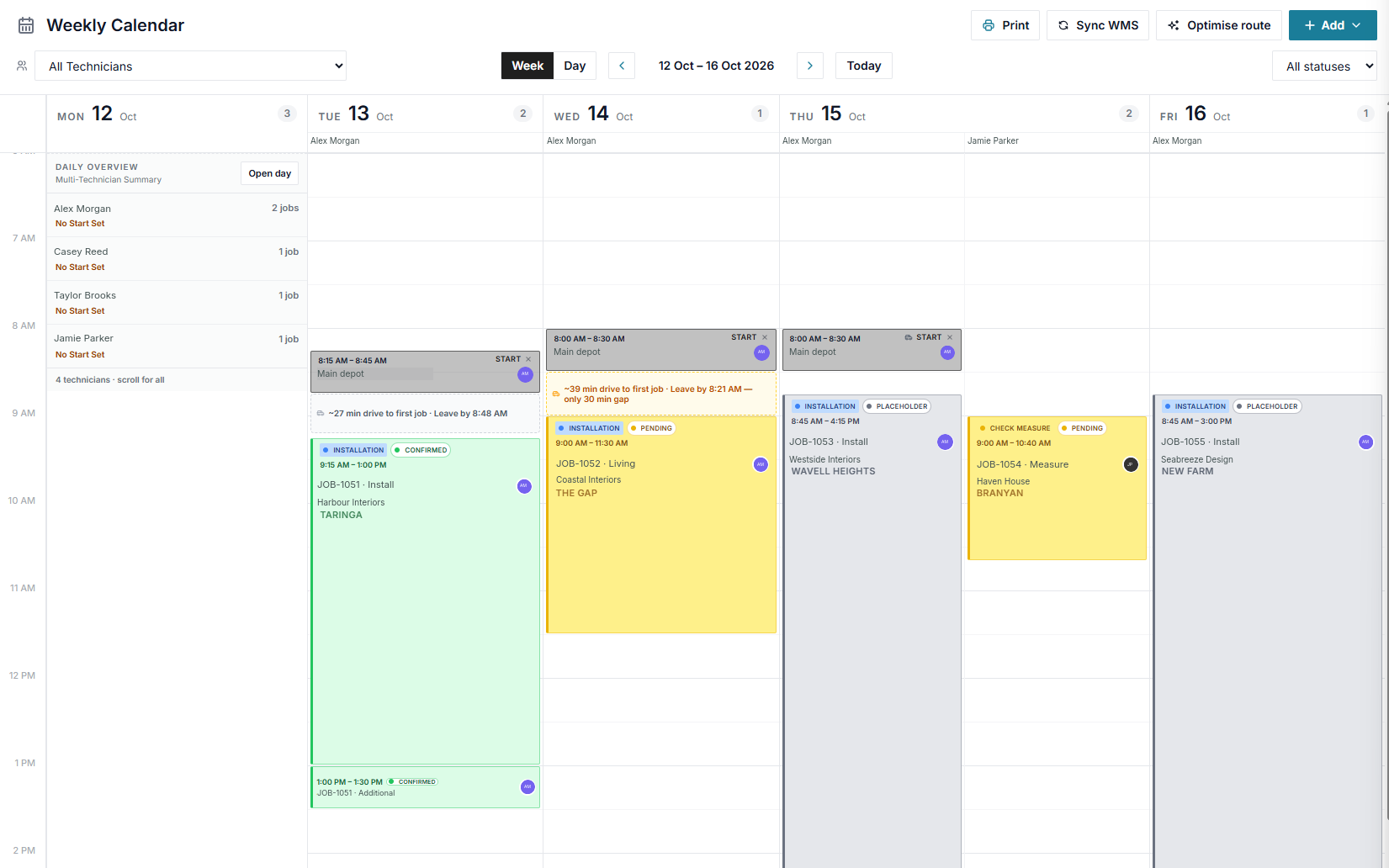
Create work orders, manage the week, schedule small or large teams and keep the day moving.
THE FIELD
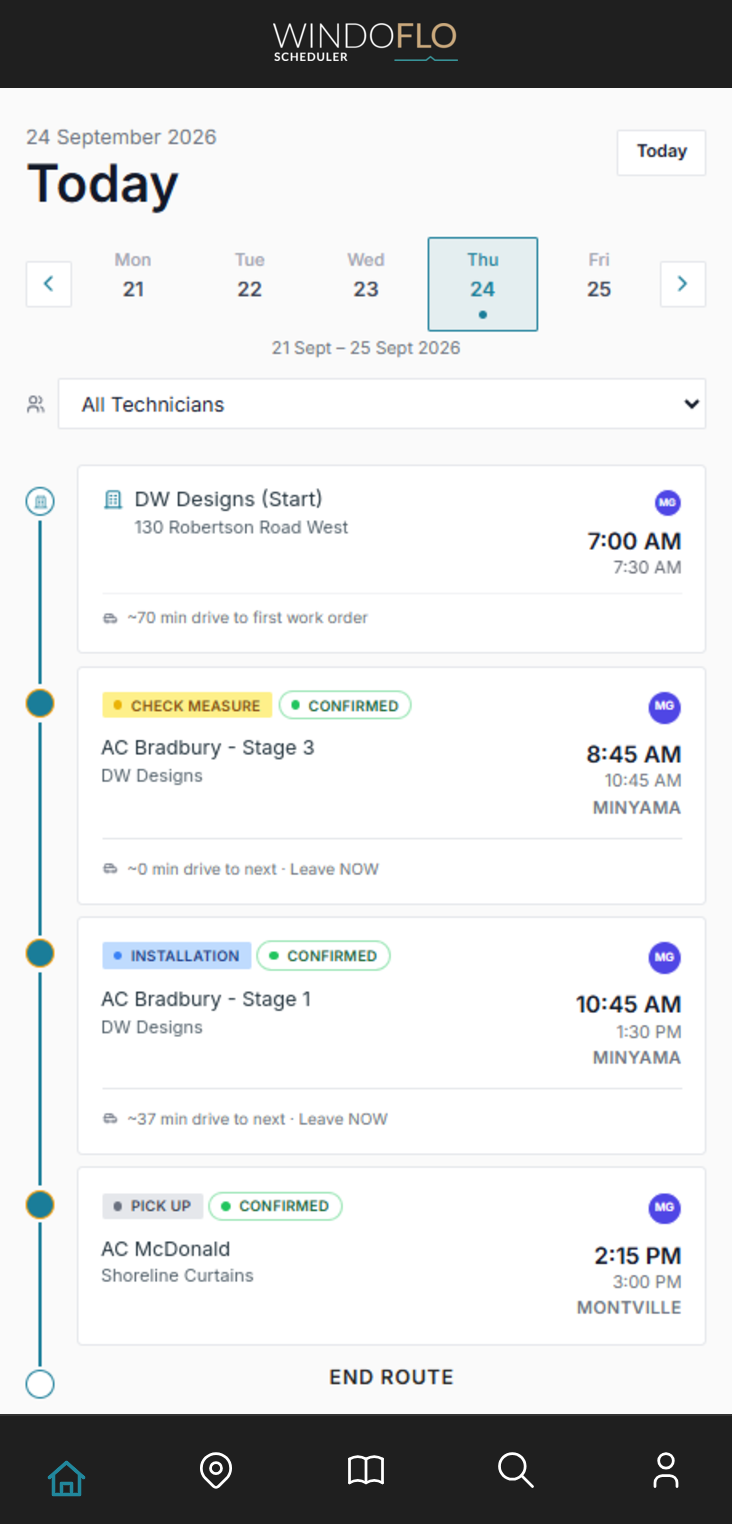
Today's route, details, checklists and completion reports on a focused mobile view.
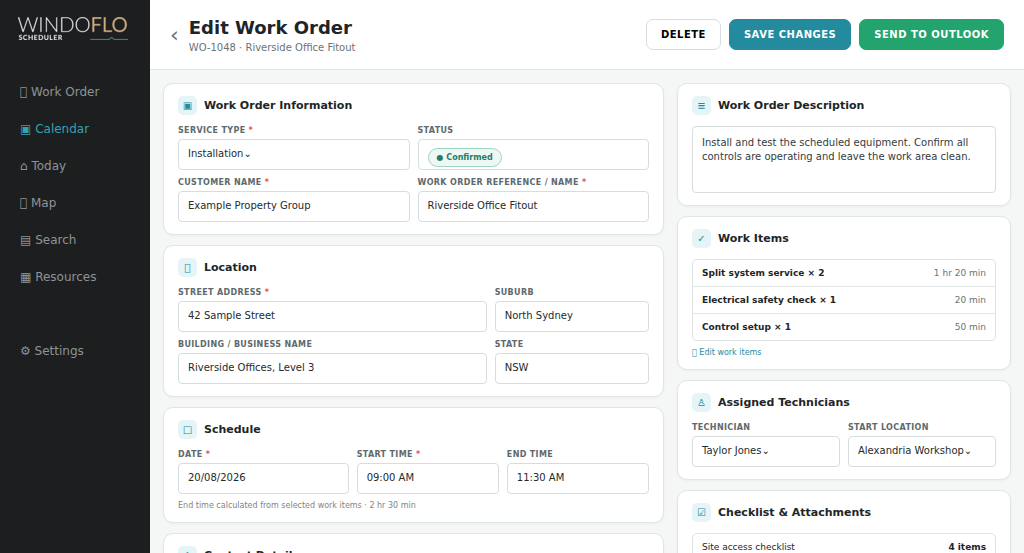
Planning tomorrow's schedule
In the office, tomorrow is built on the weekly calendar. Each work order already knows how long it will take — calculated automatically from the work items assigned to it.
Set a Start location on the calendar — a depot, office, or home address — and Windoflo calculates the drive to the first job of the day and shows it on the schedule.
Recurring work orders and Start / End locations repeat automatically — set your weekly pattern once and the calendar builds itself.
- Drag-and-drop weekly calendar
- Calculated on-site duration
- Google Maps drive times
- Custom work-order types and statuses
- Create and manage recurring bookings
- Supports teams of all sizes
Every booking, accurately timed.
Most scheduling tools let you block out a time slot and guess the duration. Windoflo works differently.
Build a library of your standard work items — each with a set duration. When a work order is created, the booking staff selects the items and quantities, and the system calculates the total on-site time automatically.
WORK ITEMS
Select tasks and quantities
Air conditioning
Split system service
40 min each
Filter replacement
15 min each
Electrical safety check
20 min each
Travel time is part of the plan.
Windoflo uses Google Maps to calculate estimated drive times between every stop on the schedule — including from pre-defined locations like a depot, warehouse, or home base.
Automated route optimisation can rearrange the day to minimise drive time and keep the schedule on time. The route map makes backtracking and clustering opportunities easy to spot.
- Real drive time estimates
- Pre-defined start / end locations
- Smart route optimisation
- Map view of the day's schedule
- Visible drive times on bookings

DW Designs (Start)
130 Robertson Road West
7:00 AM
7:30 AM
AC Bradbury - Stage 3
DW Designs
8:45 AM
10:45 AM
MINYAMA
AC Bradbury - Stage 1
DW Designs
10:45 AM
1:30 PM
MINYAMA
AC McDonald
Shoreline Curtains
2:15 PM
3:00 PM
MONTVILLE
Home Base (End)
10 Banksia Street
4:15 PM
4:30 PM
End route
Route optimised
Today · 3 work orders
- Current drive time
- 209 min
- Optimised drive time
- 177 min
Time saved
32 min
Less driving today
Driving the route
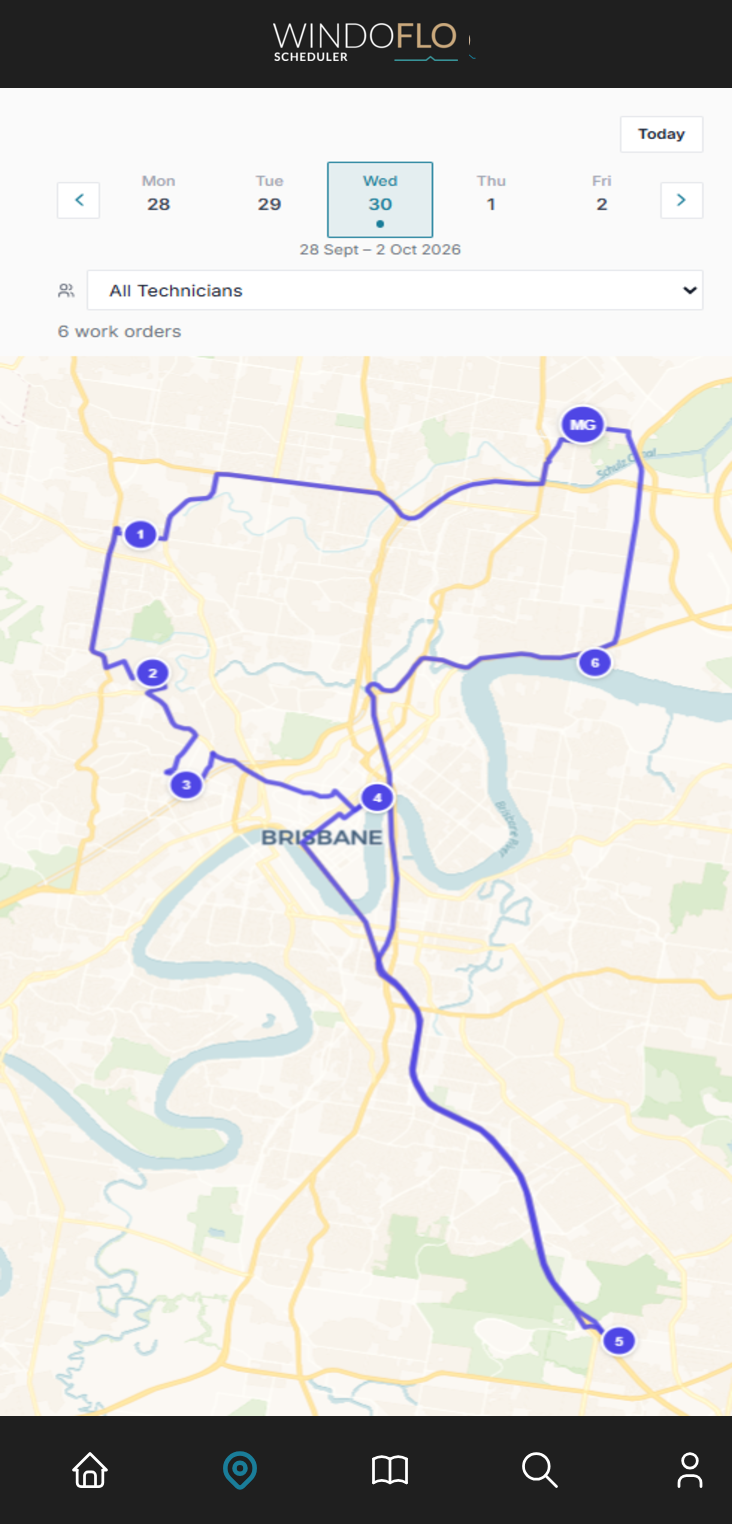
The calendar shows you when. The map shows you where. Toggle to the map view to see every job plotted geographically — spot clustering opportunities, identify backtracking, and make smarter scheduling decisions before the day starts.
Technicians see their route mapped on their phone. The office sees every technician's day plotted on one map.
INSTALLATION · CONFIRMED
HB-1042 · Harbour View Apartments
9:15 AM
Checklist
+Tick off each item before leaving the depot.
Prepared before leaving the depot.
Print a daily run sheet for each team member — every job, address, contact, and start / ends times on one page. Need the checklist items included? Toggle them on and the run sheet doubles as a pick list. Or use the in-app checklist to tick off items as they're loaded. Either way, nobody arrives on site missing what they need.
On site, everything at hand.
The app has the site address, access notes, contact details, and a map pin. Need to call ahead? The client's number is right there.
The work order shows what needs to be done, how long each item should take, and any special instructions. Site plans, floor plans, photos, and PDF attachments are all accessible directly on the work order.
- Site and contact details
- Work items with time estimates
- Photo and PDF attachments
- On-site notes and photo capture
Site Supervisor
Alex Morgan
02 9955 4410
Done means done.
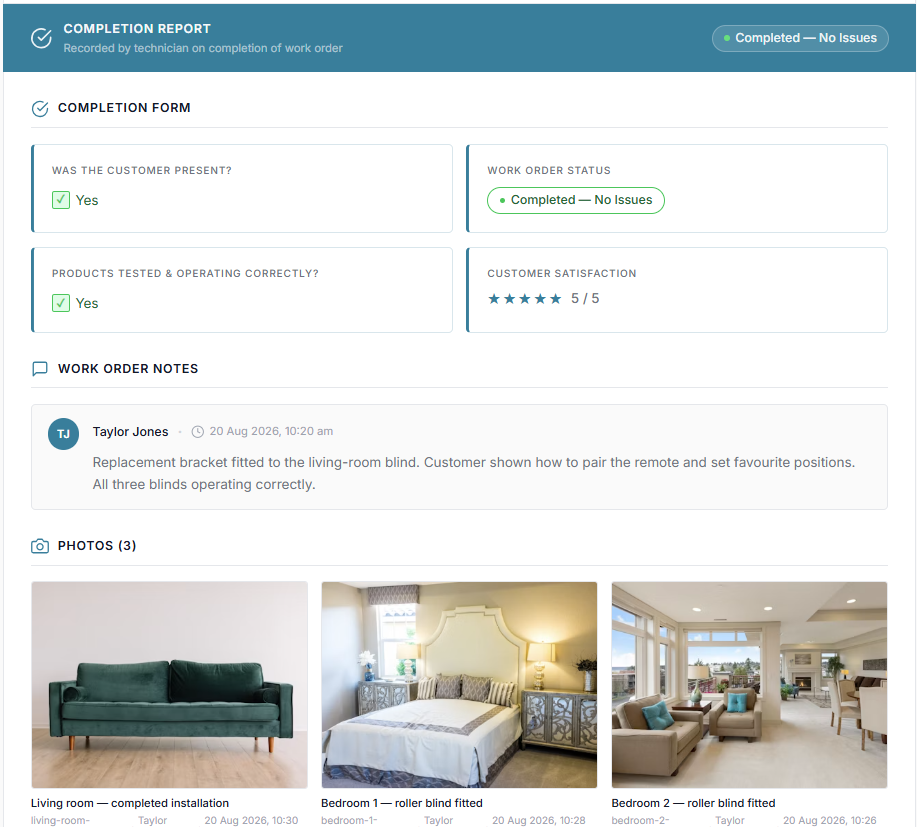
The work is finished. The technician hits End. Windoflo opens a completion report customised for that specific work order type.
No "how did that job go?" at the end of the day. No chasing paperwork on a Friday afternoon.
- Configurable report templates
- Photos and notes
- Automatic email on submission
- Retained work-order history
END WORK ORDER
Complete installation report
Customer sign-off *
Ask the recipient to sign below, using their finger or a mouse.
Name of person signing
Photos
The office knows before anyone calls.
Back in the office, the schedule updates in real time. The job status changes. A customer-ready, formatted Completion Report lands in the inbox. The booking team can handle the follow-ups and move on to tomorrow without an end-of-day debrief.
Useful prompts, not more chasing.
Technicians can receive upcoming-start reminders, while the office can be alerted when a scheduled start is missed.
Set it up for your business.
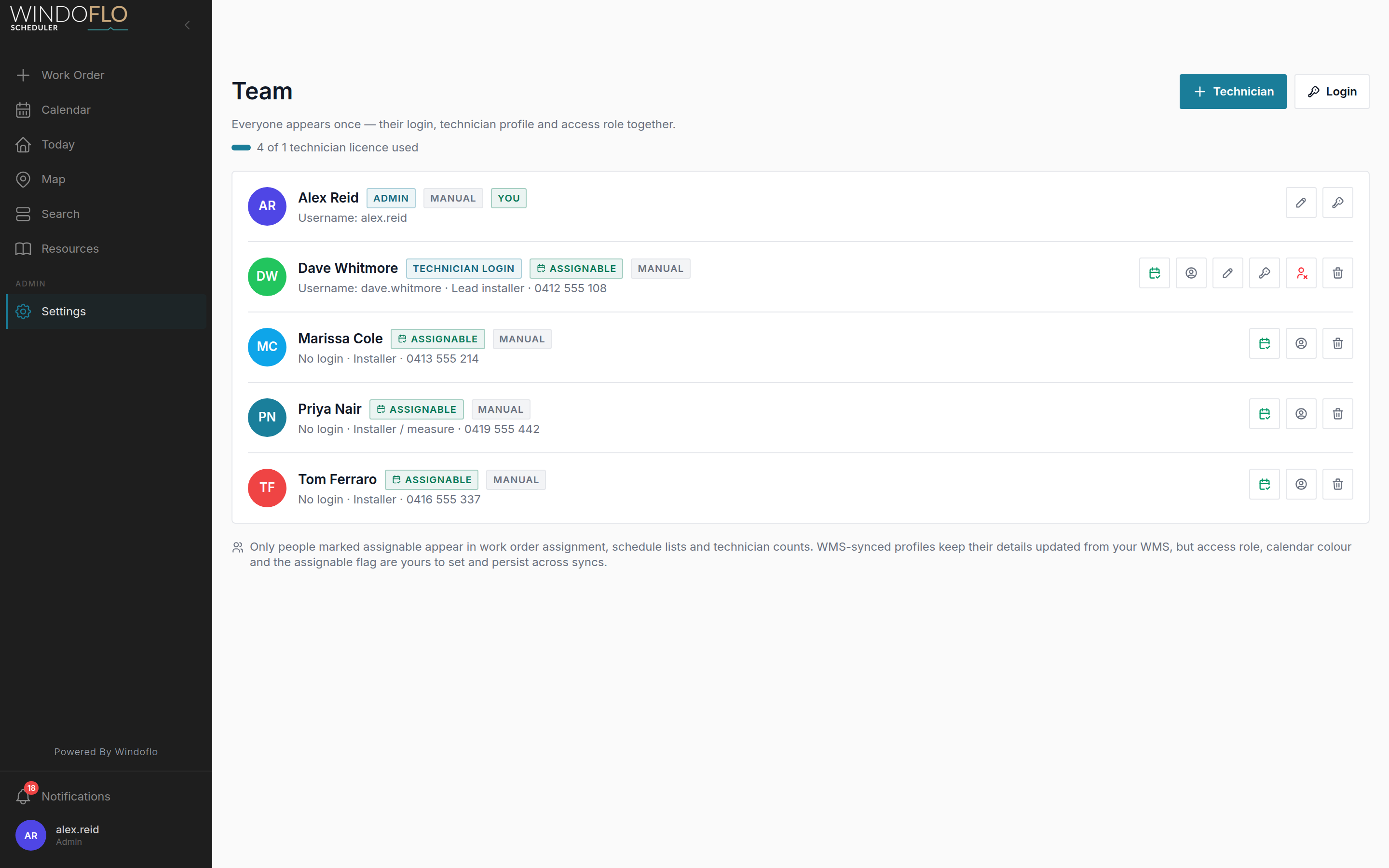
Configure work-order types, statuses, work items, report questions, technician profiles, start locations and notification rules.
See how Windoflo fits your industry →Analytics
Turn completed days into better decisions.
See operational performance without exporting the schedule into a spreadsheet. Windoflo brings workload, travel and completion signals together so you can compare days, spot patterns and plan the next week with better information.
Analytics
14 Sep 2026 – 18 Sep 2026
Scheduled
16
3.2 avg / day
Completed
14
2.8 avg / day
Cancelled
2
0.4 avg / day
Completion rate
88%
Scheduled Work Orders
Drive time
11h 58m
2h 24m avg / day
Planned distance
918.0km
183.6km avg / day
Time Save (Route Optimised)
2h 15m
27m avg / day
Avg Between Jobs
32m
40.6km avg dist
Daily Volume
14 Sep 2026 – 18 Sep 2026
Technician Travel
Drive TimeTotals for the selected period, highest to lowest
Set it up the way your business actually works.
Every business has its own job types, its own workflow, and its own terminology for what happens in the field. Windoflo doesn't force you into someone else's process.
Configure your own work order types. Build your own work item library. Set up completion reports with the questions that matter to your business. Define technician profiles, depot locations, and scheduling rules that reflect how your team actually operates.
This is what a well-run day looks like.
Fourteen days free. No credit card. Set up this afternoon, schedule tomorrow properly.